Alicorns Pony Land Save Slots — Three Looks Per Species
Daily, event, and WIP strategies so you never nuke your favorite pony OC.
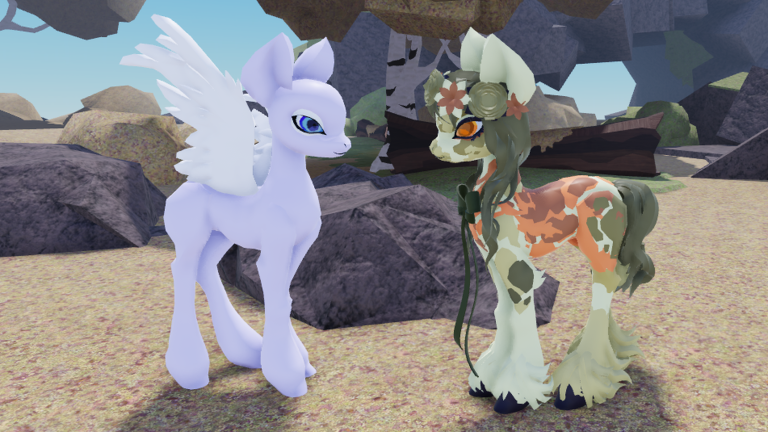
Alicorns! Pony Land [BETA] officially gives you three save slots per species. That small number is a feature, not a bug: it forces intentional OC management across Unicorn, Pegasus, Earth pony, and later Alicorn. This Players guide explains how the slots work, how to assign roles (daily / event / WIP), how switching species interacts with saves, and how to avoid overwriting favorites during dye experiments or remakes.
Pair this page with How to Customize and Accessories and Hats for editor order, the Customization Checklist for slot-by-slot completion, the Species Guide for fantasy choice, and the Looks Tier List when you want fashion inspiration—not mandatory rankings.
What “three save slots per species” means
Each starter species—Unicorn, Pegasus, and Earth pony—has its own trio of look slots. A finished Unicorn outfit does not automatically appear when you load a Pegasus character, because silhouette pieces (horn versus wings versus neither) change how accessories and manes sit. Treat the system as parallel wardrobes:
| Species | Slot budget | Practical takeaway |
|---|---|---|
| Unicorn | 3 | Horn clearance rules the head slot |
| Pegasus | 3 | Wing clearance rules side props |
| Earth pony | 3 | Coat and mane carry more identity |
| Alicorn (later) | Expect its own save discipline after unlock | Re-check clipping for horn and wings |
Community progress still points to Alicorn around level 50. Habits you build now transfer; see Unlock Alicorn when you are ready for that silhouette.
Recommended slot roles (daily / event / WIP)
Give every slot a job before you edit:
Slot 1 — Daily driver
Your public RP pony. Readable at medium camera distance, emote-friendly, and safe to wear in crowded plazas. Only update Slot 1 when you are sure the change belongs on the “main” OC. Screenshot Slot 1 after every successful polish so you have a visual backup if a BETA glitch confuses you.
Slot 2 — Event / alternate
Seasonal colors, party accessories, matching friend-group palettes, or a second canon outfit (scholar vs courier, day court vs night market). Slot 2 should still be wearable—not a broken lab—so you can swap quickly for screenshots or themed hangouts.
Slot 3 — WIP laboratory
Risky dyes, extreme proportions, loud patterns, and half-finished accessory stacks live here. If an experiment fails, you delete or overwrite Slot 3 without mourning. Never run first-try dye recipes only on Slot 1.
This daily / event / WIP triangle matches how most fashion players actually behave. If you prefer two polished alts and one lab, that is fine—just write the rule down so future-you obeys it.
Switching species without losing your mind
When you switch species, you are changing wardrobes, not “respeccing” a single shared mannequin. Before you leave a species you care about:
- Confirm Slot 1 still loads the look you expect.
- Note which dyes or accessories are unique to that silhouette.
- Screenshot front, side, and three-quarter views.
- Only then open the other species’ slots.
Returning later should feel like opening a labeled closet. Players who bounce Unicorn ↔ Pegasus mid-session without screenshots often overwrite the wrong slot because the UI still shows a familiar mane style on a different body.
Species fantasy context lives in the Species Guide. Fashion opinions by silhouette live on the Looks Tier List. Neither page replaces a disciplined save habit.
How not to overwrite favorites
Overwrite disasters usually follow the same script: you open Slot 1, tweak a dye, hate it, and hit save out of habit. Prevent that with process:
- Copy before you carve. Duplicate the vibe into Slot 3 (recreate key colors/styles) before aggressive edits if the UI does not offer a true duplicate button.
- Name the intent out loud. “I am editing WIP only” before touching sliders.
- Save explicitly. Do not assume autosave; confirm the slot indicator after writing.
- Re-open the editor after saving to prove the look reloads—especially after patches listed on Updates.
- External backup. Keep a small album of reference screenshots on your device.
Hats, bows, floral crowns, and other headpieces deserve extra caution: they interact with horns and manes, so a “tiny” accessory swap can force a remake. Work through accessories late in the How to Customize order, and tick the accessory lines on the Customization Checklist before you declare Slot 1 finished.
Session templates that protect slots
Fifteen-minute polish
Load Slot 1 → change one system only (eyes or mane accent or a single accessory) → emote test → save Slot 1 → quit. No dye experiments.
Thirty-minute alternate build
Load Slot 2 → apply a themed palette → add at most two accessories → save Slot 2 → leave Slot 1 untouched.
Dye lab night
Load Slot 3 → follow Dye Items with materials from Flowers and Resources → if the result is great, manually port the winning choices into Slot 2 or Slot 1 on purpose—not by overwriting blindly.
Post-patch audit
After a BETA update, open each species you play and verify all three slots still load. If a cosmetic went missing, note it against the Updates changelog before rebuilding.
Multiplayer and social notes
Online servers reward ponies that look intentional. Slot 1 should survive group photos: clear silhouette, controlled accessory count, readable eyes. Save wild neon experiments for Slot 3 so friends are not waiting while you undo a mistake in public. When friends ask you to match an event palette, clone the idea into Slot 2 instead of mutating everyone’s expectation of your main OC.
Common mistakes
- Using one slot for everything and calling the other two “empty forever.”
- Testing dyes only on the daily driver.
- Switching species mid-edit and saving to the wrong wardrobe.
- Ignoring BETA save verification after patches.
- Building nine unfinished ponies (three species × three slots) with zero screenshot backups.
- Treating tier-list S-ranks as mandatory Slot 1 goals—your RP fantasy wins.
Related reading
- How to Customize — full editor walkthrough and accessory finishing order.
- Customization Checklist — tick every cosmetic system before you trust a slot.
- Species Guide — Unicorn, Pegasus, Earth pony, and Alicorn fantasy framing.
- Looks Tier List — subjective fashion rankings for inspiration.
- Players Hub — controls and species index.
- Dye Items — recolor without wrecking Slot 1.
Three slots per species are enough when each slot has a job. Assign daily, event, and WIP roles, screenshot your favorites, and treat saves as part of pony care—the same way you treat dyes and flowers.
Frequently Asked Questions
Quick answers to the most common questions.
How many save slots does Alicorns Pony Land give?
Three save slots per species. Unicorn, Pegasus, and Earth pony each have their own trio of looks.
What should I put in each slot?
A common strategy is Slot 1 daily RP look, Slot 2 event or alternate outfit, and Slot 3 WIP experiments.
Do saves carry across species?
Treat each species as its own wardrobe. Confirm and screenshot before switching so you do not overwrite the wrong look.
How do I avoid deleting my favorite pony?
Never experiment on Slot 1 first. Use Slot 3 as a lab, save explicitly, re-open to verify, and keep reference screenshots.
Which pages help me finish a slot cleanly?
Use How to Customize, the Customization Checklist, the Species Guide, and the Looks Tier List for inspiration.